Water Bottle Labels
Custom water bottle labels turn plain bottled water into a party favour, wedding welcome-bag touch or branded giveaway. These printable wrap-around labels fit standard 16.9 oz (500 ml) bottles, print three per landscape sheet at 8.25 × 2.1 inches, and come in designs for birthdays, weddings, baby showers, graduations and businesses — plus editable Word templates to add names, dates and logos.
- Instant download
- Editable Word & Excel
- Print-ready PDF
- 7-day refund
8 files · PDF, DOCX, XLSX
Water Bottle Label Templates
Printable wrap-around water bottle labels (birthday, wedding, baby shower, graduation, business, blank; three 8.25 × 2.1 in labels per sheet), editable Word templates and an Excel bottle and label quantity planner.
- Birthday labels (PDF)
- Wedding labels (PDF)
- Baby Shower labels (PDF)
- + 5 more
$5.00 USD, one-time 8 files · about $0.63 each
- Instant download
- 7-day refund
- Secure checkout by Stripe
7-day money-back guarantee. Full refund within 7 days of purchase, even after you download.
Free sample: Water Bottle Labels Birthday (PDF, 191 KB)
Water Bottle Label Templates
Printable wrap-around water bottle labels (birthday, wedding, baby shower, graduation, business, blank; three 8.25 × 2.1 in labels per sheet), editable Word templates and an Excel bottle and label quantity planner.
- Birthday labels (PDF)
- Wedding labels (PDF)
- Baby Shower labels (PDF)
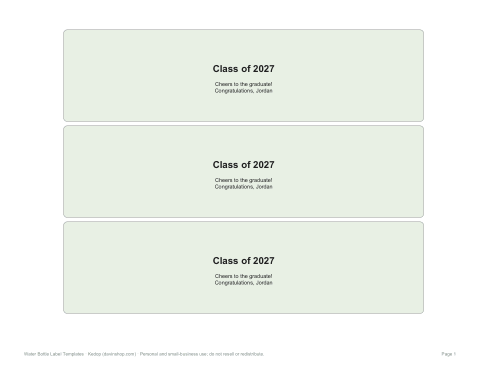
- Graduation labels (PDF)
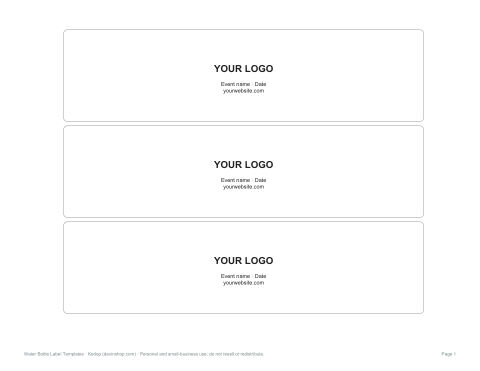
- Business labels (PDF)
- Blank labels (PDF)
- Editable labels (DOCX)
- Quantity planner (XLSX)
Formats: PDF, DOCX, XLSX. Instant download after payment (link valid 72 hours, up to 5 downloads). AI-assisted: the templates were drafted with AI help and reviewed and laid out before publishing.
$5.00 USD, one-time 8 files · about $0.63 each
- Instant download
- 7-day refund
- Secure checkout by Stripe
7-day money-back guarantee. Full refund within 7 days of purchase, even after you download.
Free sample: Water Bottle Labels Birthday (PDF, 191 KB)
Full refund within 7 days — see the refund policy and license.
Free printables
Single sheets you can print right now, no sign-up. The full pack adds every sheet in one download plus the editable files.
 Printable Birthday Water Bottle Labels1 page · free PDF
 Printable Wedding Water Bottle Labels1 page · free PDF
 Printable Baby Shower Water Bottle Labels1 page · free PDF
 Printable Graduation Water Bottle Labels1 page · free PDF
 Printable Business Labels1 page · free PDF
 Blank Water Bottle Labels1 page · free PDF
 Printable Water Bottle Quantity Planner1 page · free PDF
Label size for water bottles
| Bottle | Typical label area | Suggested label |
|---|---|---|
| 8 oz (237 ml) mini | About 6.5 × 1.5 in | Trim the standard label |
| 16.9 oz (500 ml) standard | About 8–8.25 × 2 in | 8.25 × 2.1 in wrap-around |
| 20 oz (591 ml) | About 8.5 × 2.5 in | Resize in Word |
| 1 litre | About 10 × 3 in | Resize in Word |
Bottle shapes differ between brands, so measure the original label: peel one off, or wrap a strip of paper around the bottle where the label sits and mark where it overlaps. Leave about ¼ inch of overlap for the tape or glue.
Designs in the pack
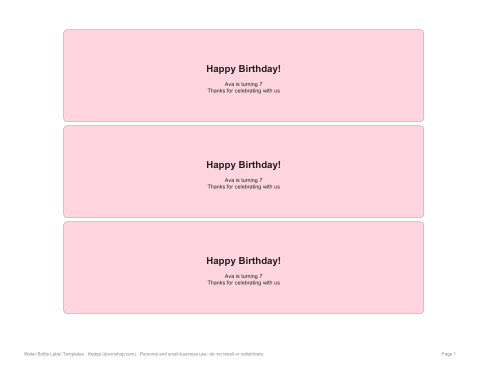
- Birthday — bright colours with space for the name and age.
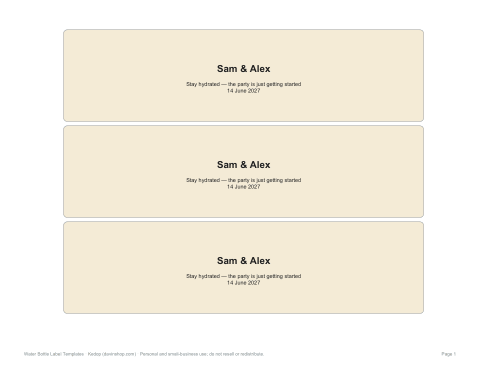
- Wedding — classic script-style headline with names and date.
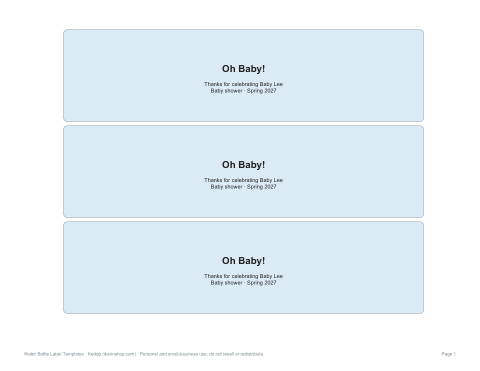
- Baby shower — soft pastels with the parents-to-be or baby’s name.
- Graduation — class year and school colours.
- Business / event — plain design for a logo, event name and website.
- Blank labels — draw or write your own design.
Making labels that survive condensation
Cold bottles sweat, and water makes paper labels wrinkle and ink run. For events, choose waterproof printable vinyl or glossy label paper, print with a laser printer if you can, or protect inkjet prints with a clear packing tape overlay. Put bottles in the fridge only after labelling, and dry them before serving from an ice bucket. Matte paper labels work fine for room-temperature bottles and welcome bags.
How to apply the labels
- Remove the original label; soak in warm water to lift residue, then dry the bottle completely.
- Print a test on plain paper and check the fit.
- Print on your chosen label paper and cut along the guides.
- Wrap the label around the bottle, starting from the back seam.
- Secure the overlap with double-sided tape or a glue dot — full-sheet sticker paper sticks by itself.
- Pack labelled bottles upright so the labels do not rub.
How many bottles to buy
A common rule is one to two bottles per guest for a few hours indoors, and two to three per guest for outdoor summer events, sports days or long receptions. Welcome bags for weddings and conferences usually hold one bottle per guest. The quantity planner in the pack calculates bottles, cases and label sheets from your guest count.
Wording ideas
| Event | Wording |
|---|---|
| Wedding | Sam & Alex · Stay hydrated, the party is just getting started · 14.06.2027 |
| Birthday | Ava’s 7th Birthday Splash |
| Baby shower | Oh baby! Thanks for celebrating Baby Lee |
| Graduation | Class of 2027 — Cheers to the graduate! |
| Business | Your logo · Event name · yourwebsite.com |
| Sports team | Go Tigers! Hydrate · Play · Win |
Selling labelled water
If you plan to sell bottled water with your own labels, food labelling rules may apply — for example, identifying the bottler, the volume and the type of water. For giveaways at events, businesses usually relabel bottles they have bought, which is generally fine for promotional use, but check local rules if you intend to resell.
Formats
Print-ready PDF label sheets (US Letter landscape, three 8.25 × 2.1 in labels per sheet; A4 with “Fit to page”), editable Word templates and an Excel quantity planner.
Frequently asked questions
What size are water bottle labels?
About 8.25 × 2.1 inches for standard 16.9 oz bottles; measure your bottle to be sure.
How do I stop labels getting wet?
Use waterproof vinyl or glossy label paper, or cover prints with clear tape.
How do I attach the labels?
Wrap around the bottle and secure the overlap with double-sided tape or glue dots.
Can I add my own text and logo?
Yes, with the editable Word templates.
Was AI used to create the labels?
The labels were generated by script and wording drafted with AI assistance, then reviewed before publishing.